
Cricbet99 Demo ID – Try Before You Play
The Cricbet99 demo ID lets you step inside the full platform with one tap: no mobile number, no OTP, no deposit. You get a ready demo account with play balance so you can see the sportsbook, open markets and learn the bet slip before you create a real ID.
What Is the Cricbet99 Demo ID?
A demo ID is a practice account that Cricbet99 hands out instantly from its login page. When you tap Login with Demo, the site signs you in to an auto-generated account (the username looks like demo followed by a number) and loads it with a play balance. That balance is not real money and cannot be deposited to or withdrawn.
Throughout the session a “This is Demo ID” tab stays pinned to the right edge of the screen, so you always know you are in practice mode and not on a funded account.
Demo IDs are shared practice accounts, so the balance you see may already be partly used by earlier visitors. Treat it as a walkthrough of the platform, not a betting bankroll.
How to Log In With Demo ID
The demo button sits only on the login page. The sign-up page does not have it; that page is for mobile number and OTP registration.
- Open the Cricbet99 login page. Go to the official login screen at cricbet99.gold/login, or see our Cricbet99 login guide.
- Skip the ID and password fields. You do not need to fill in the Mobile Number or User ID tab for demo access.
- Tap “Login with Demo”. It is the left-hand button directly under the password field, next to the main Login button.
- Wait for the success message. A “Logged in successfully” pop-up appears and you land on the In-Play home screen with your demo balance shown at the top right.
- Start exploring. Browse Inplay, Sports, Casino, Matka and Cricket-Fight from the top menu, or open any live match to see its markets.
To end the session, open the account menu (tap your balance at the top right) and choose Logout. Your next demo login may give you a different demo username.
What You Can and Cannot Do in Demo
You can
- Browse live and upcoming cricket, football, tennis, horse racing, kabaddi, esports and more
- Open a match and view Match Odds, Bookmaker and Fancy style markets with min and max limits
- Tap any Back or Lay price to open the bet slip and learn stake buttons, Min Stake, Max Stake and Accept Any Odds
- Browse the casino lobby, providers and game categories
- See the full account menu: Bet History, Unsettled Bets, Account Statement, Profit Loss Report and Set Button Values
You cannot
- Deposit: the wallet shows “Wallet access is restricted for demo users”
- Withdraw: same wallet restriction applies
- Win or lose real money: the demo balance has no cash value
- Rely on every casino table opening: in our test, game tiles did not launch from the demo account
- Keep the account: demo IDs are temporary and shared, not personal
| Feature | Demo ID | Real Cricbet99 ID |
|---|---|---|
| Sign-up needed | No, one tap | Mobile number + OTP, or via WhatsApp |
| Balance | Play balance, no cash value | Real funds you deposit |
| Deposit and withdrawal | Blocked | Available |
| Sports markets and bet slip | Viewable | Full access |
| Live casino games | Lobby only in our test | Full access |
| Bonus and referral | Not applicable | Available per platform terms |
Switch From Demo to a Real ID
Demo progress does not carry over, so moving to a real account means creating a fresh ID. There are two routes:
Option 1: Register with your mobile number
- Log out of the demo account from the account menu.
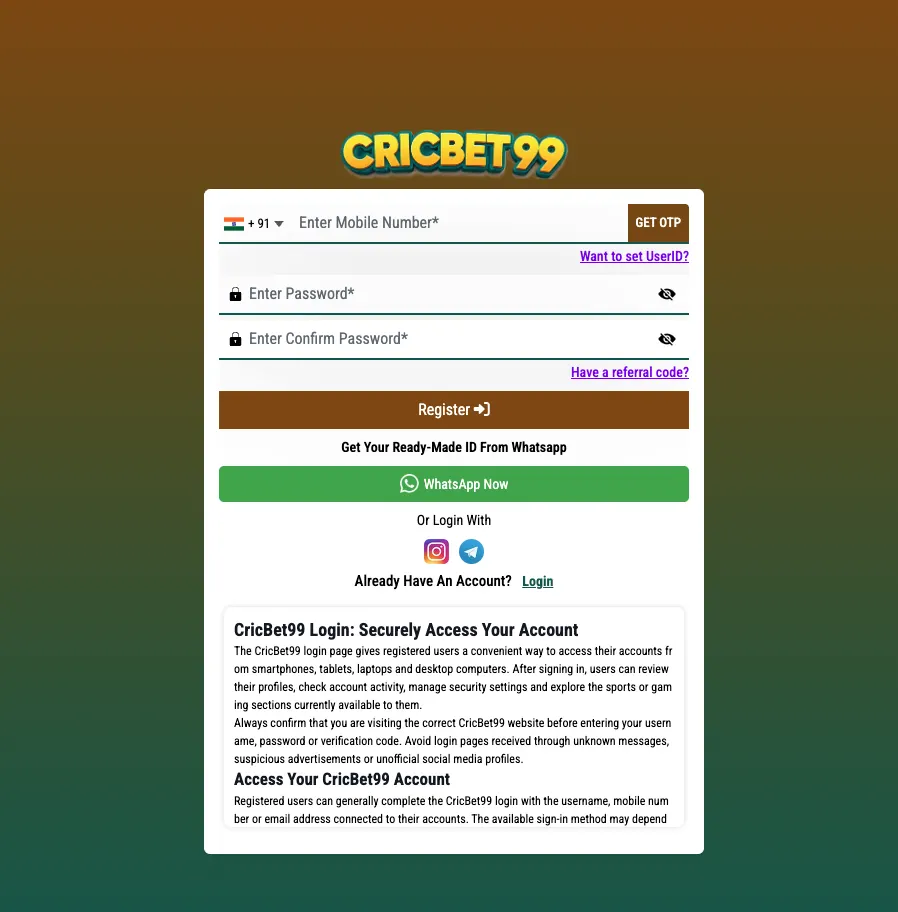
- Open the sign-up page and enter your mobile number with the +91 code.
- Tap GET OTP and enter the code you receive.
- Set a password and confirm it. Optionally tap “Want to set UserID?” to pick your own username or “Have a referral code?” to add one.
- Tap Register. Full steps are in our Cricbet99 register guide.
Option 2: Get a ready-made ID on WhatsApp
Both the login and sign-up pages have a WhatsApp Now button for a ready-made ID created by the support team. See how to get a real Cricbet99 ID for what to expect.
Once you are in, our how to use Cricbet99 guide covers deposits, placing your first bet and checking your statement.
Cricbet99 Demo ID FAQs
Is the Cricbet99 demo ID free?
Yes. Tapping Login with Demo on the login page costs nothing and needs no mobile number, OTP or deposit.
Where is the Login with Demo button?
It is on the Cricbet99 login page, just below the password field and to the left of the main Login button. It does not appear on the sign-up page.
Can I withdraw winnings from a demo ID?
No. The wallet is locked for demo users, so deposits and withdrawals are blocked and the demo balance has no cash value.
Does my demo account turn into a real account?
No. A demo ID is temporary and shared. To play with real money you need to register your own ID with your mobile number or get one through WhatsApp.
cricbet99 demo login, cricbet99 demo account, crickbet99 demo id, cricbet99 free id, cricbet99 trial id