
Cricbet99 ID – How to Get Your Cricket ID
A Cricbet99 ID is the account you use to bet on cricket and other sports, play live casino games and manage your deposits and withdrawals on Cricbet99. The quickest way to get one is on WhatsApp: you send a message, the support team creates your ID for free, and you activate it with a first deposit of ₹100. This guide explains how it works, how it compares with registering on the website, and what to do if your ID is lost or blocked.
What Is a Cricbet99 ID?
Your Cricbet99 ID is your personal betting account. It is a User ID and password (or a registered mobile number and password) that lets you sign in and use everything on the platform:
- Bet on cricket matches, including IPL and international games, plus other sports.
- Play live casino and other games.
- Add money and withdraw your winnings.
- Track your balance and bet history in one dashboard.
People often call it an “online cricket ID” because cricket betting is the main reason most players sign up. One ID covers all sports and games on the platform, so you do not need a separate account for each.
How to Make a Cricbet99 ID
Getting an ID on WhatsApp takes a few minutes and you do not have to fill any form.
Step 1: Open WhatsApp support
Tap WhatsApp Now under “Get Your Ready-Made ID From WhatsApp” on the official login or sign-up page, or use the button on our WhatsApp support page.
Step 2: Ask for a new ID
Send a message such as “I want a new Cricbet99 ID”. Support may ask for your name and the mobile number you want linked to the account.
Step 3: Make your first deposit
Support shares the payment details for activation. Add ₹100 or more and send the payment proof if asked. See Activate Your ID With ₹100 below.
Step 4: Receive your login details
You get your User ID and password on WhatsApp. Your balance is added to the account.
Step 5: Log in and change your password
Open the Cricbet99 login page, select the User ID tab, enter your details and tap Login. Change the password after your first login.
Stay safe: only use the WhatsApp number linked from the official Cricbet99 pages or our site. Never send money to a number that contacted you first, and never share your password or OTP with anyone.
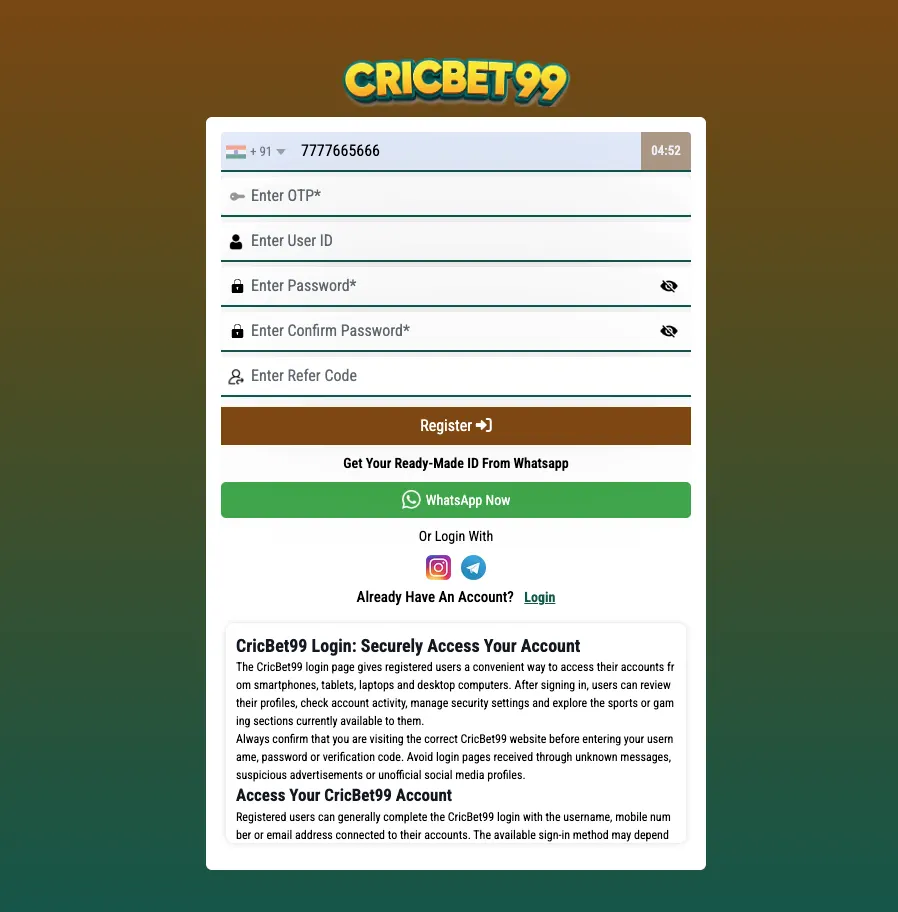
Cricbet99 ID vs Website Registration
Both ways give you the same account. The difference is how it is created.
| Cricbet99 ID on WhatsApp | Website registration | |
|---|---|---|
| How it works | Support creates the ID for you | You fill the sign-up form yourself |
| What you need | WhatsApp and a mobile number | A mobile number that receives OTP |
| OTP needed | No | Yes, through GET OTP |
| User ID | Ready-made, sent by support | Optional, through “Want to set UserID?” |
| Login tab to use | User ID | Mobile Number (or User ID if you set one) |
| Help with first deposit | Yes, in the same chat | Deposit from your account or ask support |
| Best for | New players, OTP problems, quick setup | Players who prefer to do it themselves |
Prefer the form? Follow our Cricbet99 Register guide. Want to look around first? Try a Cricbet99 Demo ID.
Activate Your ID With ₹100
Creating your Cricbet99 ID is free. It becomes active for real-money play once you add your first deposit, and the minimum to start is just ₹100.
- Ask support for the payment details, or open the deposit section after logging in.
- Pay ₹100 or more using one of the listed payment options.
- Send the payment proof (screenshot or reference number) if support asks for it.
- The amount is added to your balance and your ID is ready to use.
For full payment steps, read how to add money to Cricbet99. Only pay to details shown in your account or sent by official support.
Using Your ID: Login, Deposit, Withdraw
Login
Go to the Cricbet99 login page, choose the User ID tab, enter your User ID and password, and tap Login. On Android you can also use the app from the Download APK button on the login page.
Deposit
Add money from the deposit section of your account or through WhatsApp support. Keep the payment proof until the amount shows in your balance. Steps: add money to Cricbet99.
Withdraw
Request a withdrawal from your account or through support. Use bank or UPI details in your own name, and keep your ID proof ready in case verification is needed. Steps: Cricbet99 withdrawal.
Play responsibly: Cricbet99 is for users aged 18 and above. Set a budget, take breaks and never bet money you cannot afford to lose. Check that online betting is allowed where you live.
Cricbet99 ID Kaise Banaye
Cricbet99 ID banana bahut aasaan hai aur iske liye koi form bharne ki zarurat nahi hai:
- Official page par WhatsApp Now button dabayein.
- Message bhejein: “Mujhe new Cricbet99 ID chahiye”.
- Support jo payment details de, us par ₹100 ya usse zyada deposit karein aur payment proof bhejein.
- WhatsApp par aapko User ID aur password mil jayega.
- Login page par User ID tab chunein, details daalein aur Login dabayein.
ID banana free hai, sirf ₹100 se activate hoti hai. Pehli baar login karne ke baad password zaroor badlein. Cricbet99 sirf 18 saal se upar ke logon ke liye hai.
Lost or Blocked ID: What to Do
Forgot your User ID
- Search your WhatsApp chat with support. Your login details are usually in the first messages.
- If you registered with a mobile number, log in on the Mobile Number tab instead.
- Still stuck? Message WhatsApp support from the number linked to your ID.
Forgot your password
- Tap Forgot Password? on the login page and follow the steps.
- If your ID came from WhatsApp, ask support to reset it from the same number.
ID blocked or locked
- Too many wrong password attempts can lock the account for a while. Wait before trying again.
- If it stays blocked, contact support with your User ID. Never send your password.
Lost access to your WhatsApp number
- Contact support from a new number with your User ID and the payment proof of a past deposit so they can confirm the account is yours.
Also Searched As
Players look for this guide using different search terms. They all lead to the same Cricbet99 ID process:
- cricbet99 id
- how to make cricbet99 id
- how to get cricbet99 id
- cricbet99 new id
- online cricket id
Cricbet99 ID FAQs
How do I get a Cricbet99 ID?
Tap WhatsApp Now on the official page, ask for a new ID, add a first deposit of ₹100 or more, and support sends you your User ID and password.
Is the Cricbet99 ID free?
Yes. Creating the ID is free. You activate it for real-money play with a first deposit, which starts from ₹100.
How long does it take to get a Cricbet99 ID?
Usually a few minutes after you message WhatsApp support and your first deposit is confirmed.
What is the difference between a Cricbet99 ID and registering on the website?
Both give you the same account. With a WhatsApp ID, support creates it for you with no OTP needed. With website registration, you fill the sign-up form and verify your number with an OTP.
How do I log in with my Cricbet99 ID?
What should I do if my Cricbet99 ID is blocked?
How do I log in with my Cricbet99 ID?
Open the Cricbet99 login page, select the User ID tab, enter the User ID and password you received, and tap Login.
What should I do if my Cricbet99 ID is blocked?
Wait a while if you entered the wrong password several times. If it stays blocked, contact WhatsApp support with your User ID. Never share your password.